
Choose delivery address by map – It’s that easy


Choose delivery address by map – It’s that easy
Sony Alpha 7C
Full-frame performance, made compact
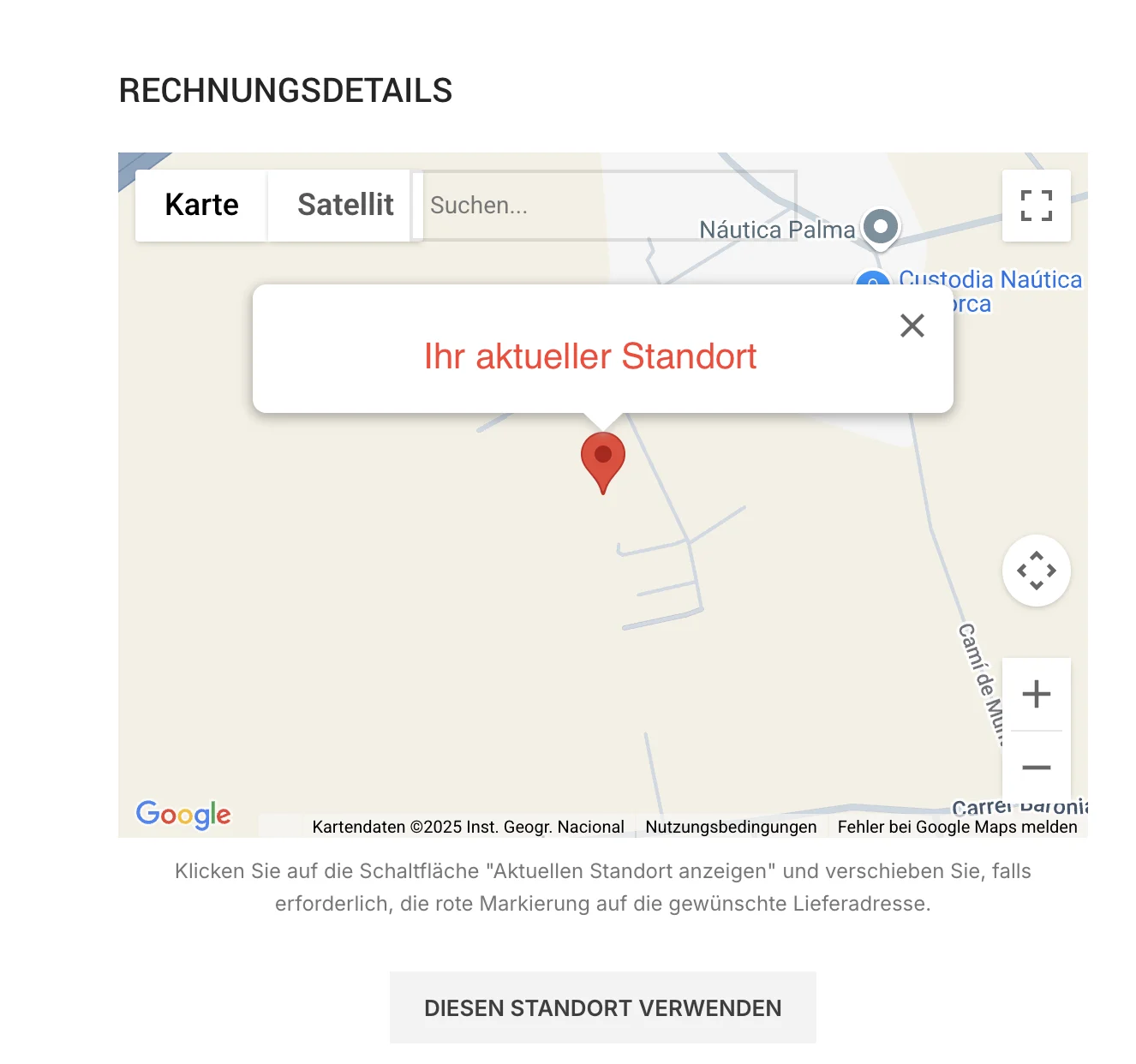
1. Activate map and set pin
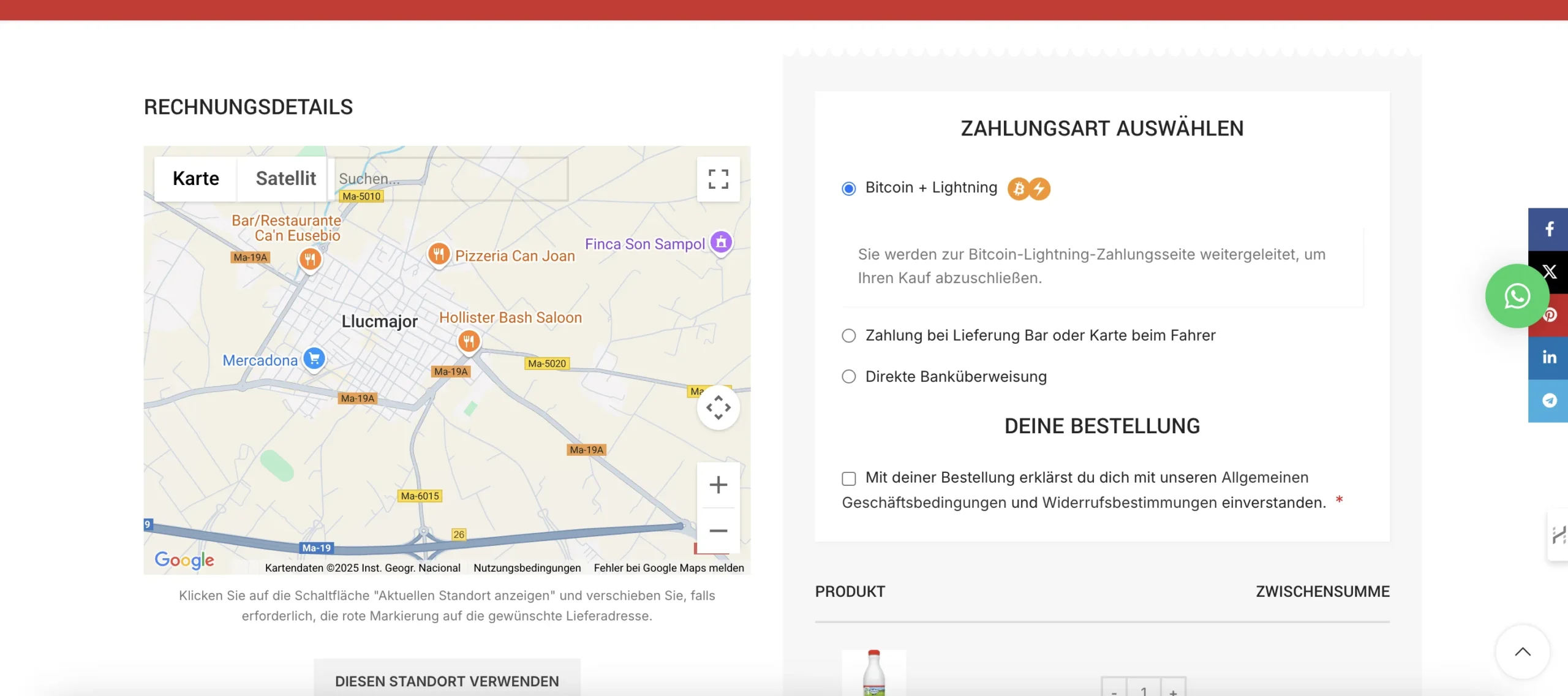
Click below the map on „USE THIS LOCATION“, to activate the map selection.
Then the red marker appears. Drag it (if necessary) by clicking to the exact location, where we should deliver your order.
If the red marker is already at your desired location, you do not need to do anything else.
2. Accept and save address
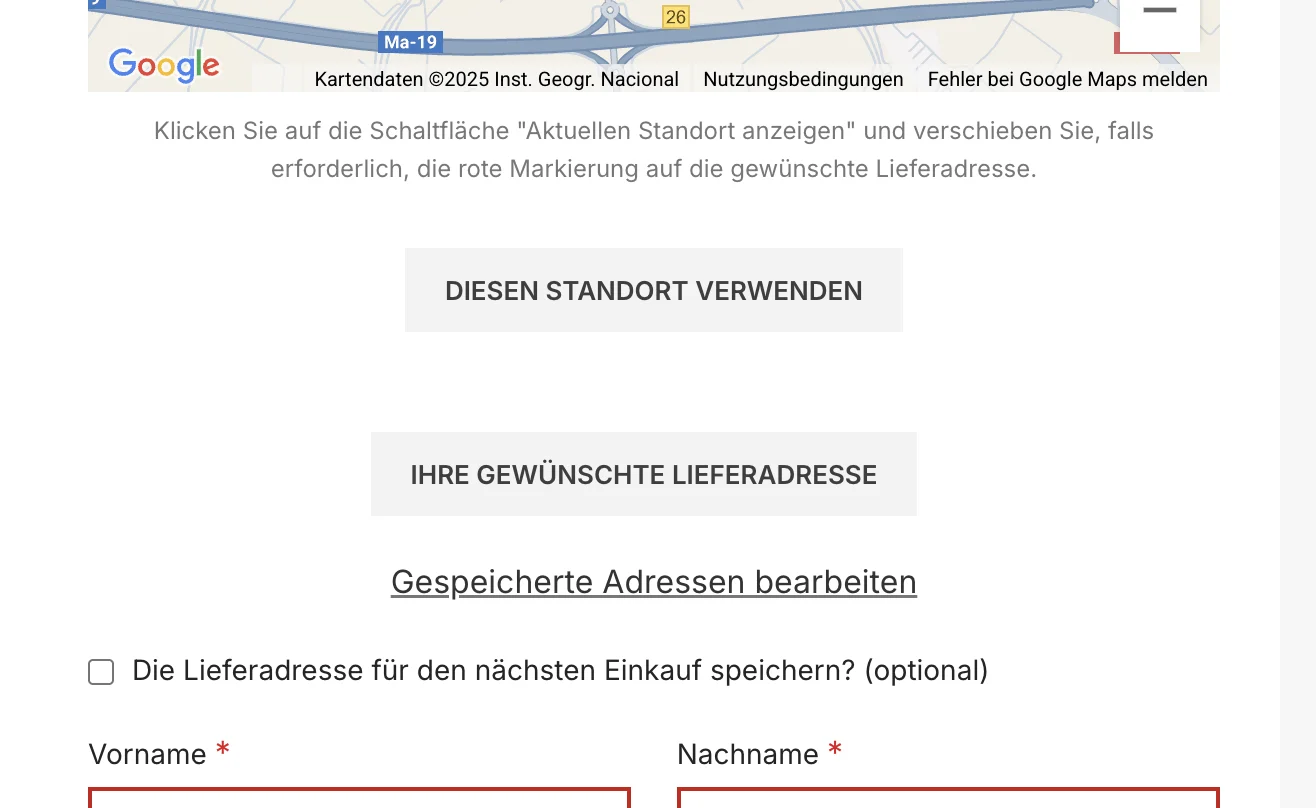
Your location is automatically transferred to the address field: Street, postal code and city are now filled in.
Check the details and tick the box for „Lieferadresse für den nächsten Einkauf speichern“, to save the address in your customer account.
3. Manage saved addresses
-
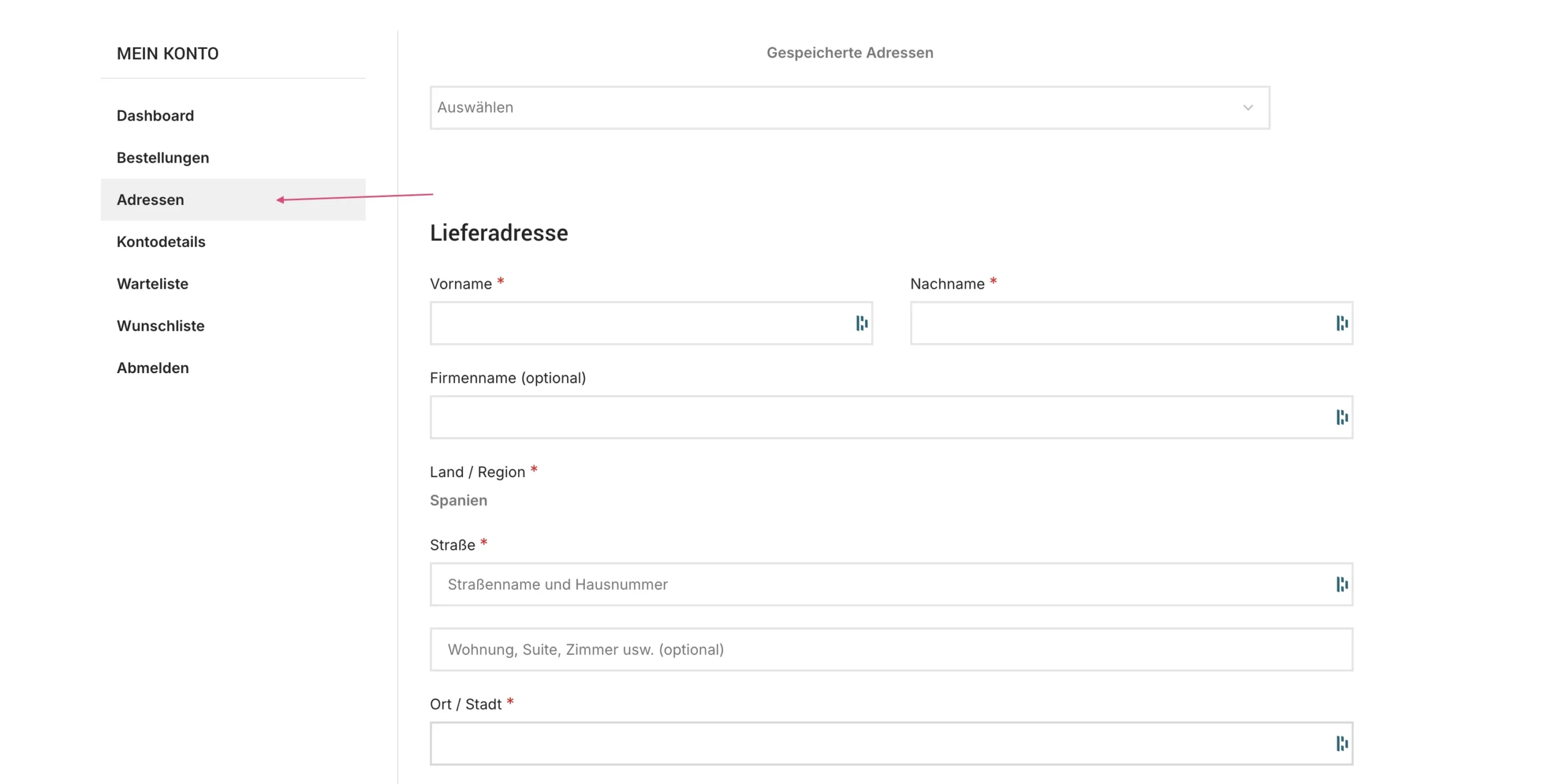
Go to your customer account at „Mein Konto → Adressen“.
-
There you can see all your saved delivery locations (e.g. Home, Office, Vacation home).
-
Simply select a saved address for your next purchase – the marker will be automatically set to the corresponding point.
Your benefits at a glance
-
No delivery confusion
We receive precise coordinates – no more wrong deliveries or follow-up questions. -
Faster checkout
One click on „USE THIS LOCATION“, automatic filling and address saving save you valuable time. -
Comfortable address management
Save as many favorite addresses as you like and select them with just one click.